Camp mode : reinventing the wheel, on purpose
October 29, 2026 by Himesh R
Avni 18.2 lets a mobile clinic's phones share patients through one hub phone, all day, with no internet.
We shipped camp mode in Avni 18.2. It came out of a problem that mobile clinics kept bringing to us, and the answer we landed on is the oldest invention there is, the wheel. Mobile medical units are where this started, but nothing in it is medical. A legal aid camp, a survey camp, or any day where several people record on their own phones without internet works the same way.
Why we built it
Avni grew up around a field worker walking alone from village to village. Her phone holds her work, and the server is where that work meets everyone else's. We call that meeting a sync. For a lone field worker that model has held up well for years.
Then several organisations running mobile clinics came to us with the same problem. Their clinics run out of a van, parked for the day in a village with no signal, with four or five staff working on their own phones. Without signal, the server was the only place two phones could ever meet. So a patient registered at the front desk stayed on the receptionist's phone, and the nurse at the next table had two choices. She could wait until the evening to see the patient's details, or she could register the same patient again. By the end of the week the same people sat in the system twice, and someone in the office had to find the duplicates and sort them out by hand.
What they asked for was easy to say: let the phones in the van talk to each other. We did not get there in one go. Our first attempt had every phone talking directly to every other phone, and that turned out to be fragile across makes of phone. The next idea was a box in the van, which would have meant building a second app just for the staff. In the end we reinvented the wheel, on purpose. One of the clinic's own phones becomes the hub. It starts its own Wi-Fi network, and the other phones join it as its spokes. For the rest of the day they share their work with the hub, and none of them syncs with the server. When the camp ends, each phone syncs with the server as usual.
A day in camp
The first pilot is coming up soon, so the day below is an imagined one, pieced together from the office dry runs we did of the same flow.
The receptionist arrives first. She opens Clinic sharing on the hub phone and taps Start hub.
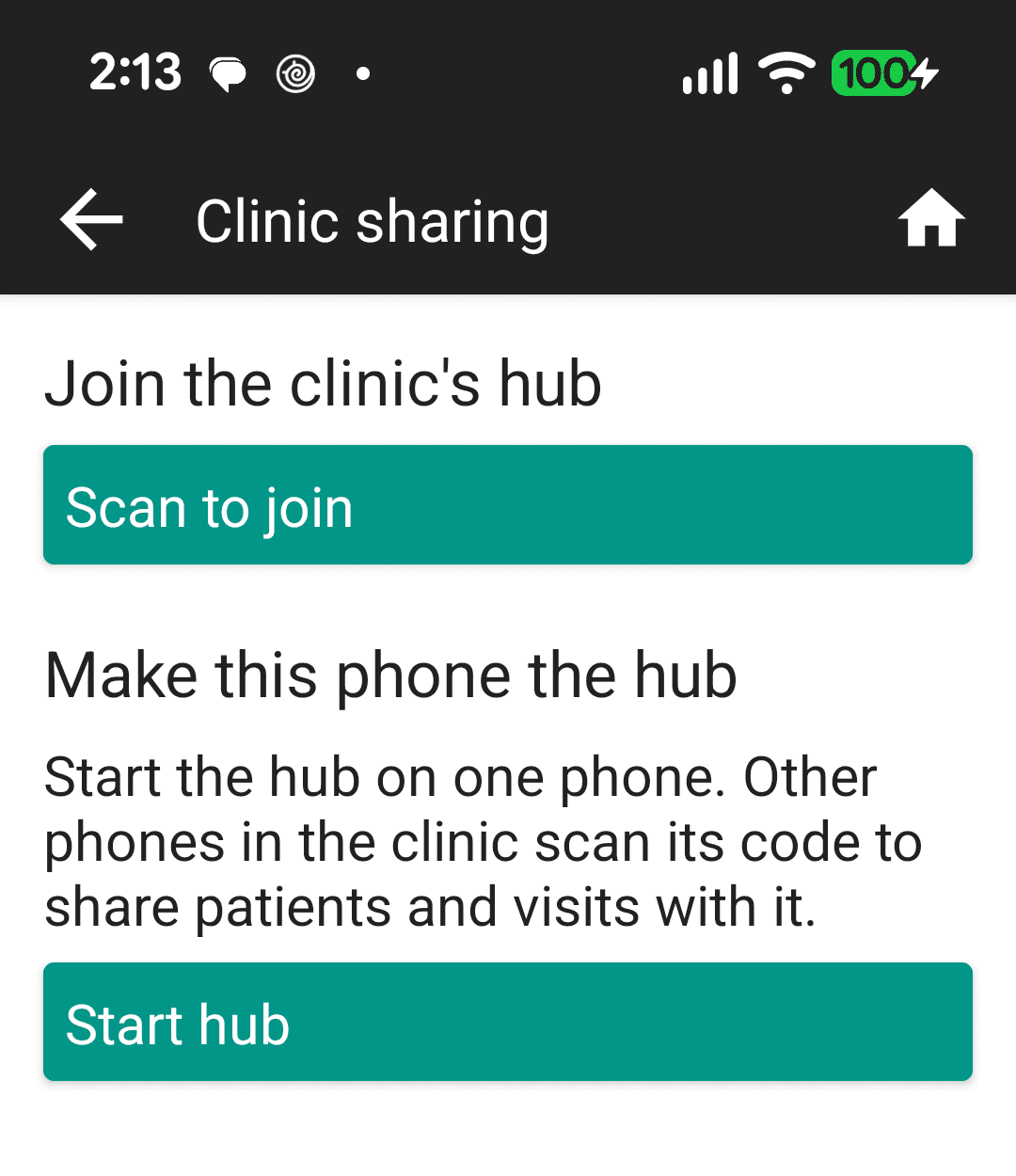
The Clinic sharing screen, with Scan to join and Start hub.
Her screen now shows a code to scan, with the name and password of the hub's Wi-Fi network. Below it, the hub keeps a count of the phones that synced with it in the last 5 minutes.
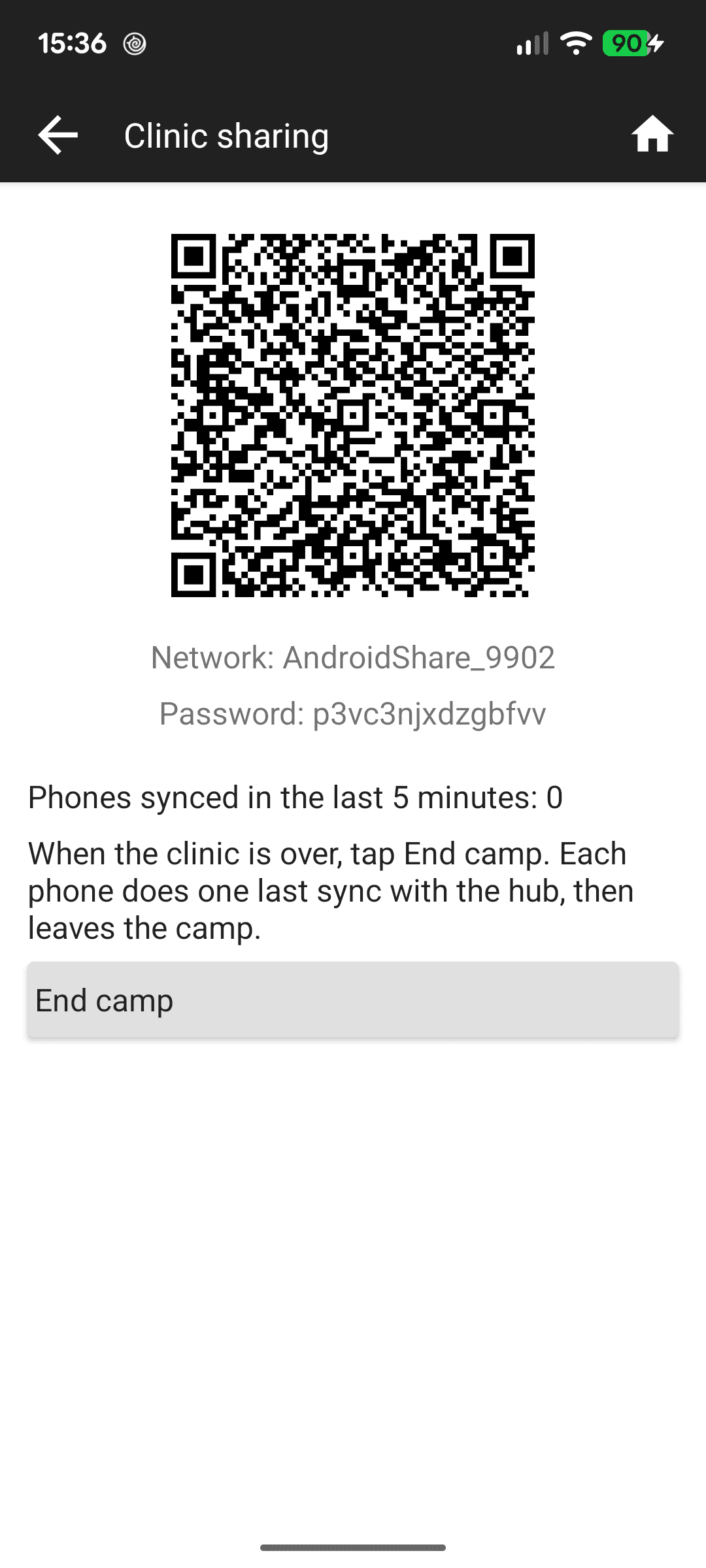
A running hub, with its code, network name and password.
As the others settle in, the nurse, the doctor and the pharmacist tap Scan to join and point their cameras at the code on the hub. From then on, each joined phone shares with the hub every 30 seconds by itself. Sync with hub is there for anyone who would rather not wait.
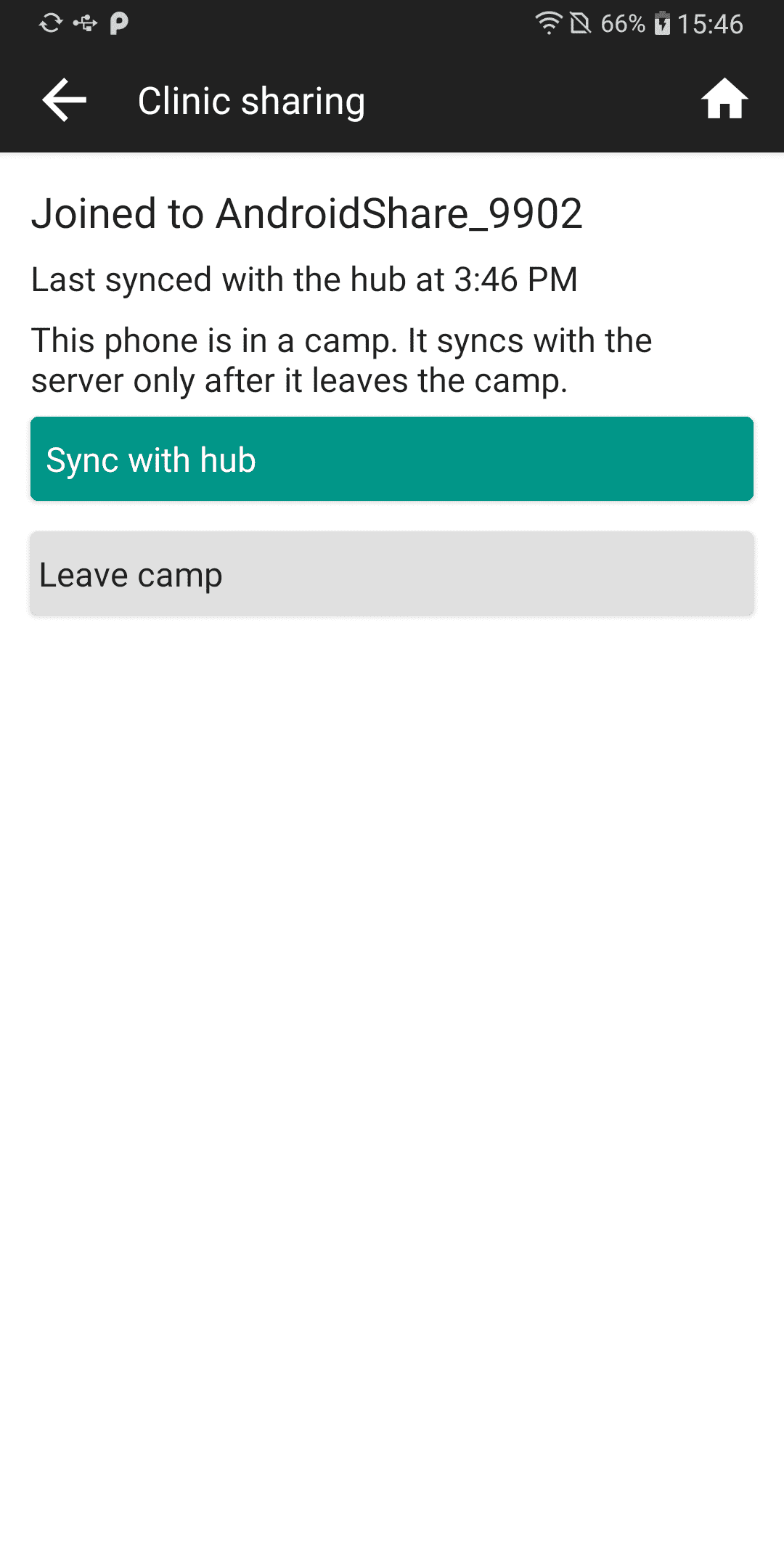
A phone joined to the hub, in a camp.
Late in the morning an elderly woman comes in, holding her granddaughter's hand, because the walk from the next village is a long one for her. The receptionist registers her on the hub. A minute later she is on the nurse's phone, and the nurse records her vitals and adds a photo. The doctor, at the far end of the van, sees the vitals on his own phone. The photo travels to the hub with her visit, and the doctor's phone fetches it from the hub when he opens it.
A clinic day has its interruptions. When the nurse steps outside to talk to a family, she walks out of range and her phone loses the hub's network. Her screen offers Rejoin with the hub's name, and she taps it when she comes back in. Later in the afternoon the hub phone restarts. The hub starts again by itself when the receptionist opens Avni, but on a new network with a new name and password, so the others get up from their tables and scan its new code. Records shared before the restart stay on their phones.
When the last patient has left, the receptionist taps End camp. The hub asks her to tap it again to confirm, and warns that this cannot be undone.
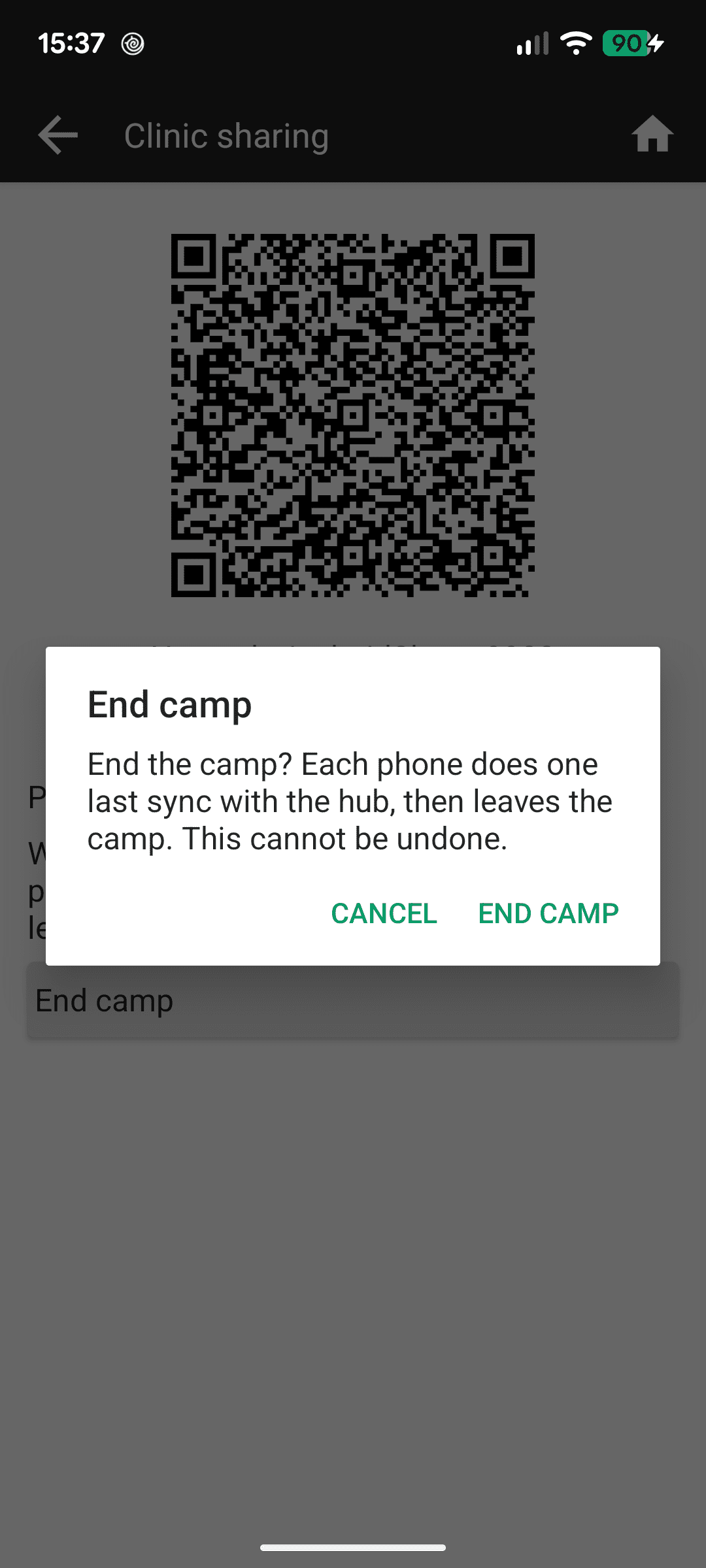
The hub asking to confirm End camp.
Her colleagues keep Avni open while they pack up. At its next sync with the hub, each of their phones syncs one last time and then leaves the camp, and the hub ticks off each phone as it leaves. Once all three have left, she taps Close hub, and the hub deletes the records and photos it kept for the other phones.
On the drive back the van comes into signal. After leaving the camp, each phone syncs with the server as usual and uploads its own work. The nurse's visit, though, waits on her phone until the woman, registered on the receptionist's phone, reaches the server. So every phone from the camp needs a sync once it is back in signal.
A legal aid camp follows the same flow. A paralegal at the first desk starts the hub and registers each person who comes in. A minute later the person is on the phone of the lawyer at the next table, who records the consultation there. At the end of the day the paralegal ends the camp, and each phone uploads its own work once it syncs with the server.
At a glance
| In camp mode | |
|---|---|
| The hub | One phone in the clinic. It starts its own Wi-Fi network |
| The other phones | Each joined phone shares with the hub every 30 seconds by itself |
| A camp | Starting a hub, or joining one, puts a phone in a camp. A phone in a camp does not sync with the server |
| After the camp | Each phone syncs with the server as usual, and uploads its own work |
| What you get | The staff work on their own phones as one team, without internet |
| Is it ready? | Shipped in 18.2. The first pilot is coming up soon |
Before you start
- Switch it on. In the web app, open the organisation settings page and turn on Enable clinic sharing. If the organisation encrypts data on the phone, the Clinic sharing menu stays hidden.
- Sync before you leave. Sync every phone with the server just before the camp, so that its forms and other organisation setup match the hub's.
- Pick the hub. The hub phone needs Android 10 or later, and it must be logged in as a user with all privileges.
- Edit your own records. Each person should edit only the records they created. Through the hub, the version that reaches the hub last is kept.
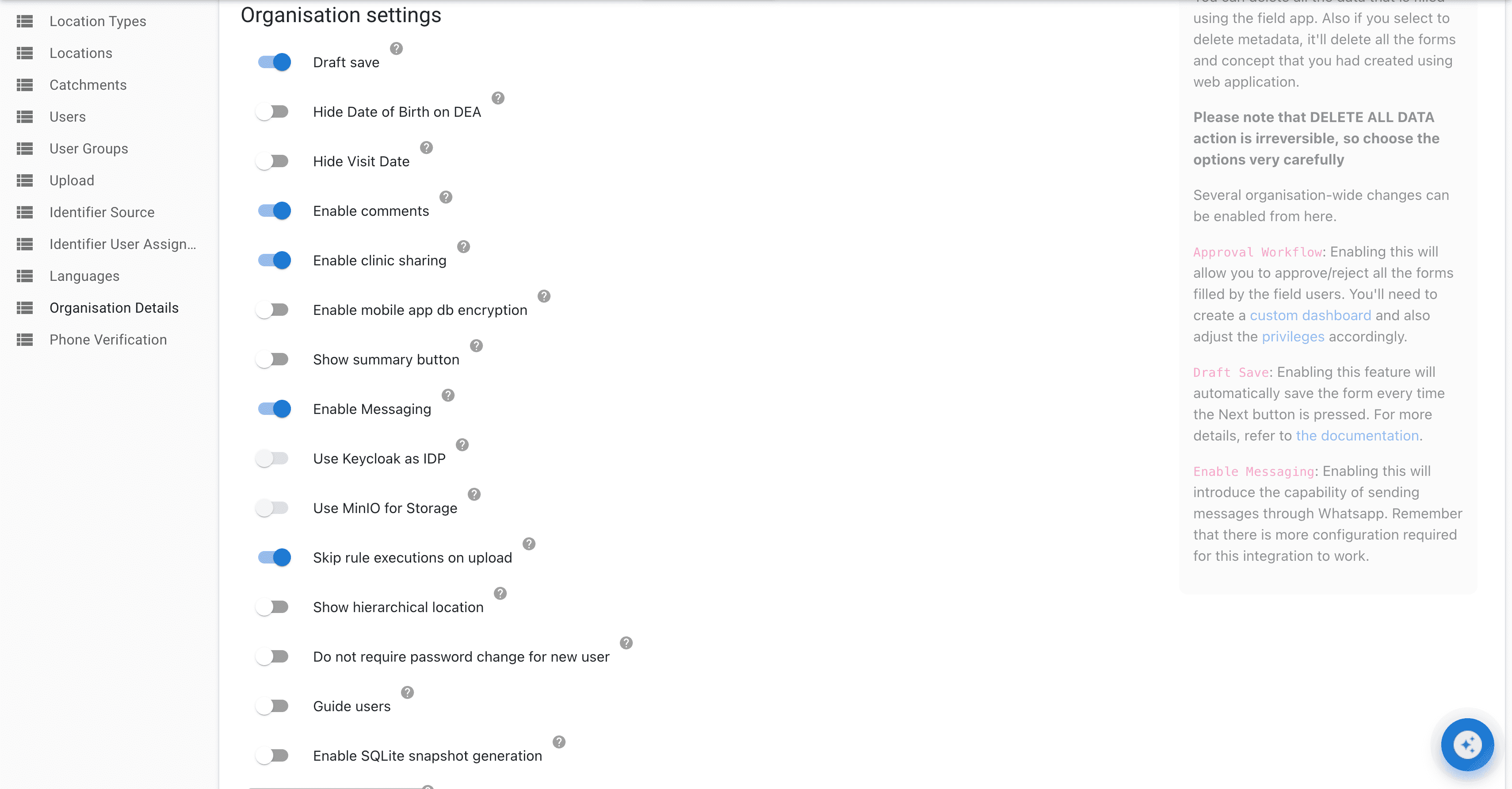
Enable clinic sharing in the organisation settings.
The clinic sharing guide has the rest.
Notes for the technically curious
Photos travel to the hub along with the records they belong to, and a joined phone syncs with the hub every 30 seconds while Avni is open. What keeps the server straight is ownership. A record from another phone belongs to that phone, and that phone uploads it to the server. Until it does, a phone holds back its own work that depends on it. On the server, the last upload wins, as with sync.
"Sometimes the oldest design is still the right one."