Avni September Release
September 30, 2026 by Avni Team
Structured Approval and Rejection forms, a fix for hidden buttons on Android 16, clearer media sync errors, and a much faster attendance report. Here's what changed.
Approval and Rejection forms
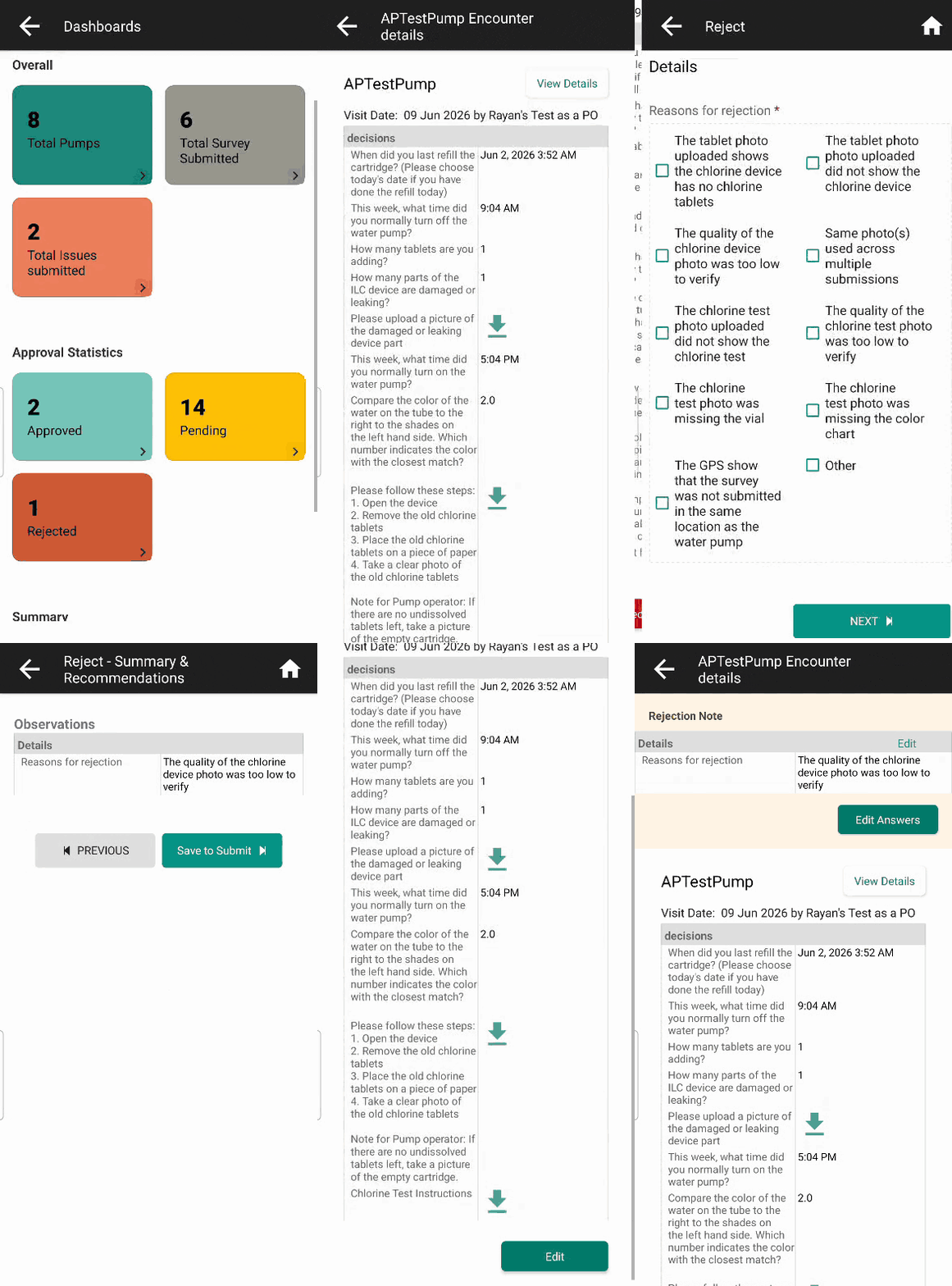
Turn approval decisions into data you can count
Rejecting a record used to mean typing a sentence into a comment box. The field worker knew what to fix, but nobody could count those sentences.
Now an organisation can build an Approval form or a Rejection form in App Designer. In the mobile app, tapping Approve or Reject opens that form instead of the comment box. The field worker whose record was sent back sees the approver's answers where the comment used to appear.
→ View technical details
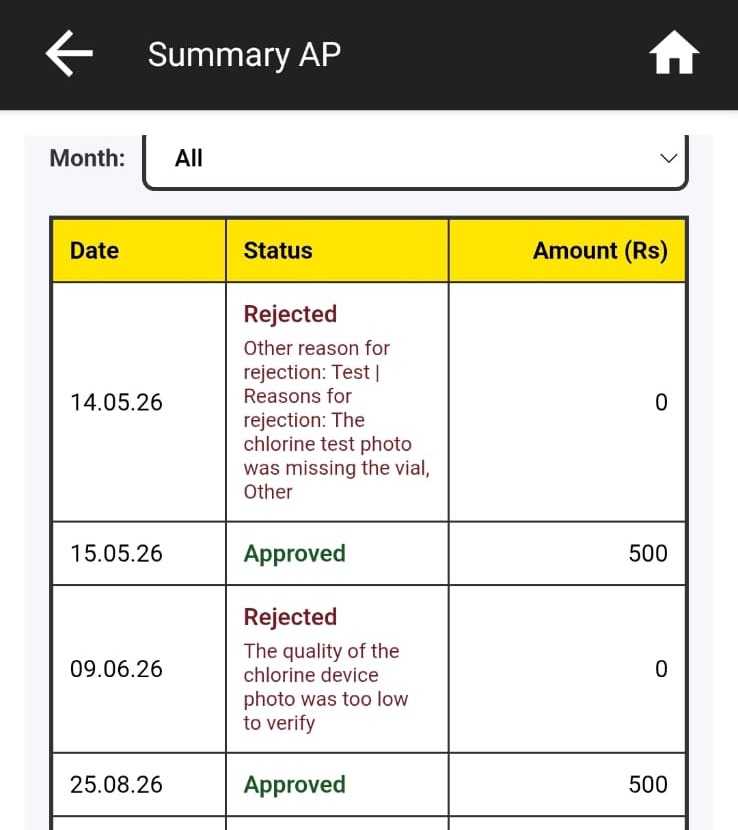
See why records are sent back
The answers flow into reports and integrations like any other form data. If the Rejection form asks for the reason as a list of options, a program manager can count how often each reason comes up.
Set it up in App Designer
Build the form, then attach it to anything that already has approval switched on. Follow the steps in Approval and rejection forms in the Avni docs.
Rules work here too
The rule builder in App Designer works on Approval and Rejection forms, so you can hide or validate questions without writing code.
Optional and backward compatible
Either form can be attached on its own. Where no form is attached, approving and rejecting work exactly as before.
Minor enhancements
Buttons no longer hidden on Android 16
On Android 16 phones, buttons at the bottom of the screen, such as Apply on the Filter screen, were drawn underneath the phone's navigation bar and couldn't be pressed. They now sit above it and work again. (avni-client#2114)
Clearer media sync errors
When a photo or other media file stopped a sync, field workers saw only an error code. They now see a readable message, and the sync is recorded as failed rather than incomplete, so it's clearer what went wrong. (avni-client#2097)
Performance improvements
Faster attendance report
For organisations that track attendance, the attendance report now refreshes many times faster, typically in about a minute or less. The report's contents are unchanged. (avni-etl#175)
Share Feedback and Stay Updated!
Join our Avni community on Discord to share your thoughts, ask questions, and get the latest updates.
Need a walkthrough or have questions? Feel free to schedule a demo call here.
Tags