Avni June Release
June 30, 2026 by Avni Team
On-device AI for field workers, attendance flow improvements, and a faster data pipeline. Here's what changed and what it means for you.
On-device AI, fully offline
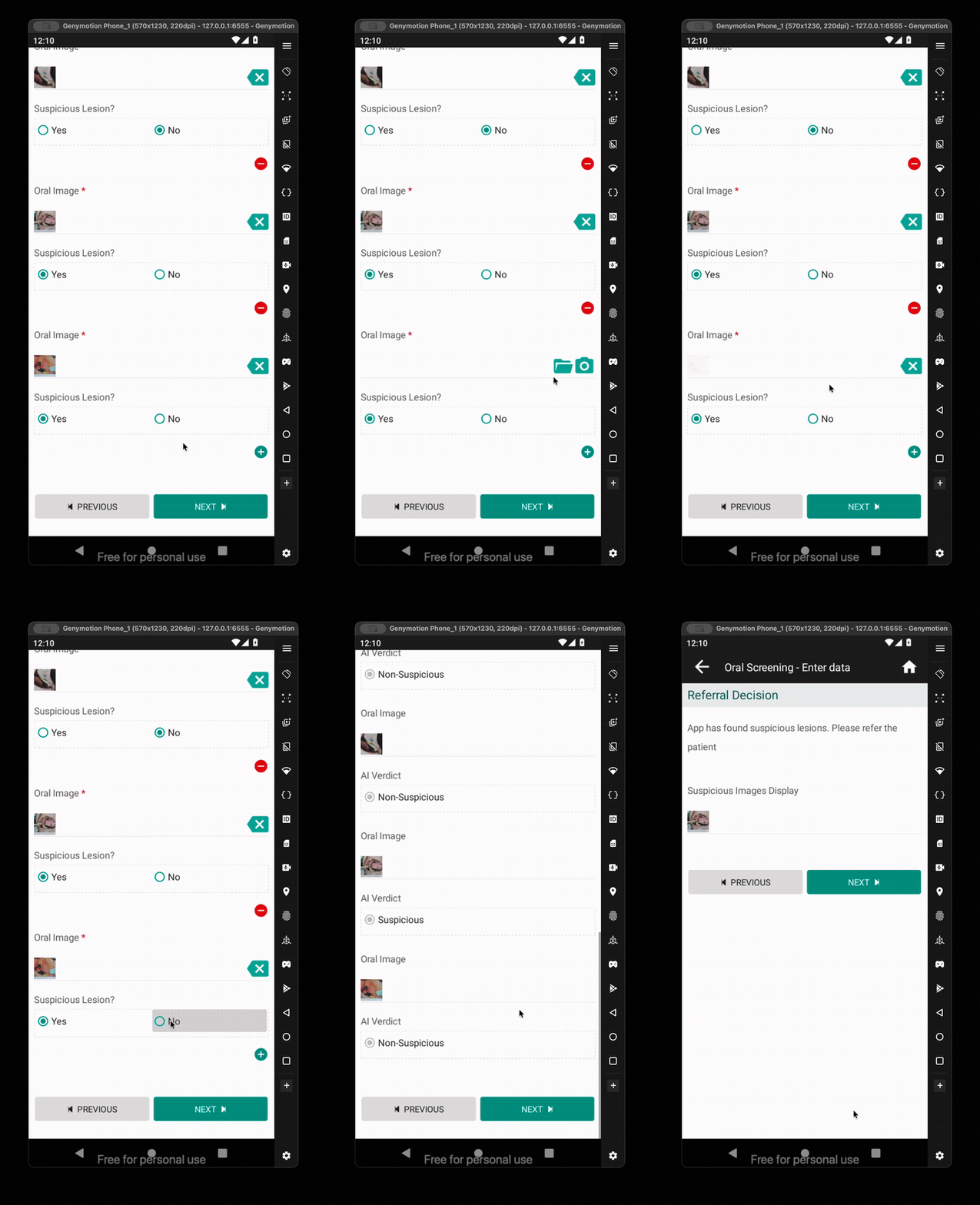
The Android app can now run AI models directly on the phone, with no internet needed. A form can trigger a model on a photo a field worker just took and automatically fill in the result — even inside repeating sections of a form.
Less manual entry, fewer errors, in places where connectivity can't be relied on.
Mark attendance directly from the dashboard
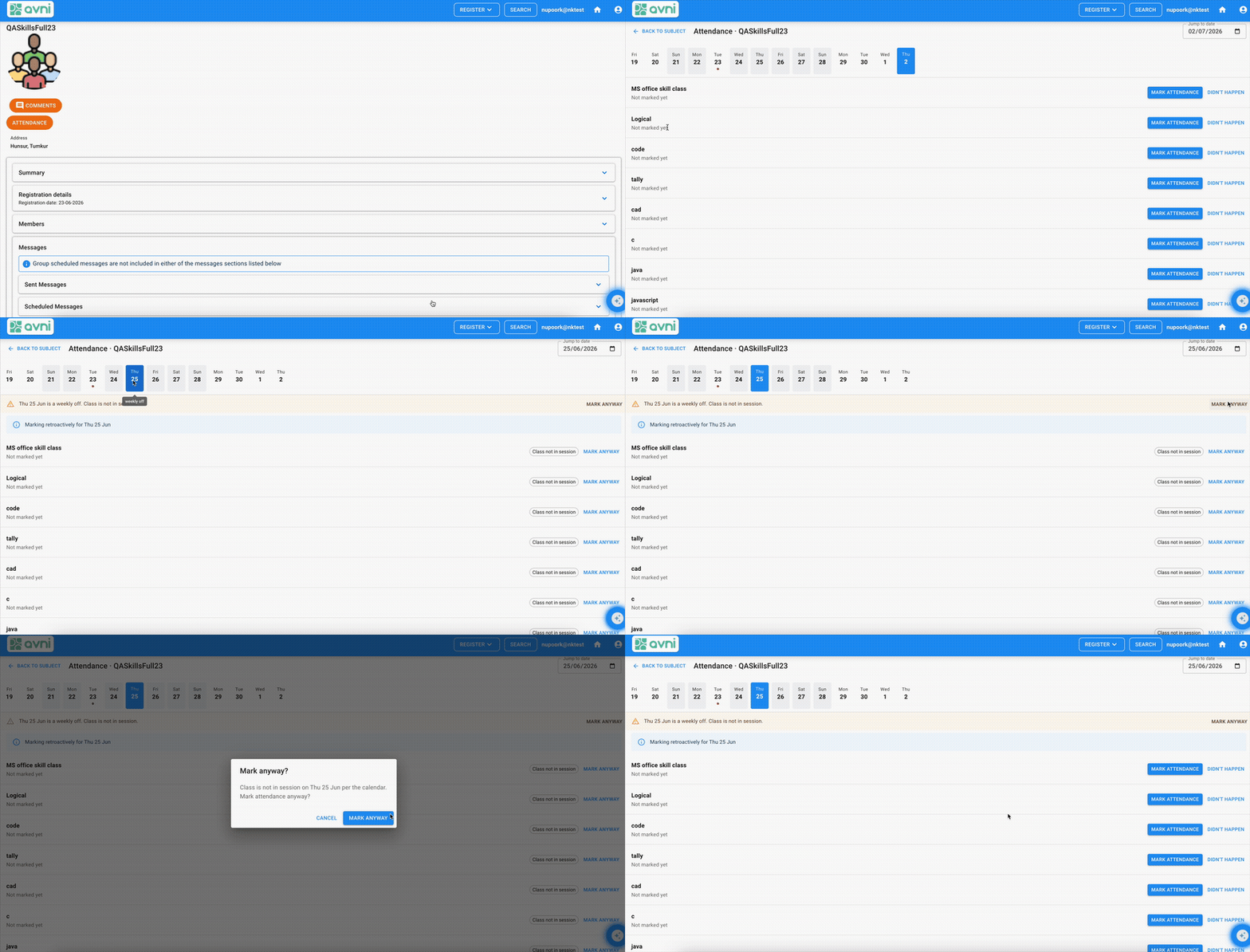
App Designer now lets you add a "Mark attendance" card to any dashboard. Tapping it takes a field worker straight into the attendance sheet — no extra navigation needed.
Administrators pick the Group Subject Type and Attendance Type when setting up the card, keeping it flexible for different programs.
Attendance refinements
Several smaller improvements to the attendance flow have landed:
- Multiple absence reasons can now be selected at once
- A separate "needs follow-up" checkbox, independent of the absence reason
- A clearer reason shown when someone is removed from a group
- Student names sorted alphabetically in the attendance view
- A tidier attendance list overall
Import cancelled visits and exited enrolments
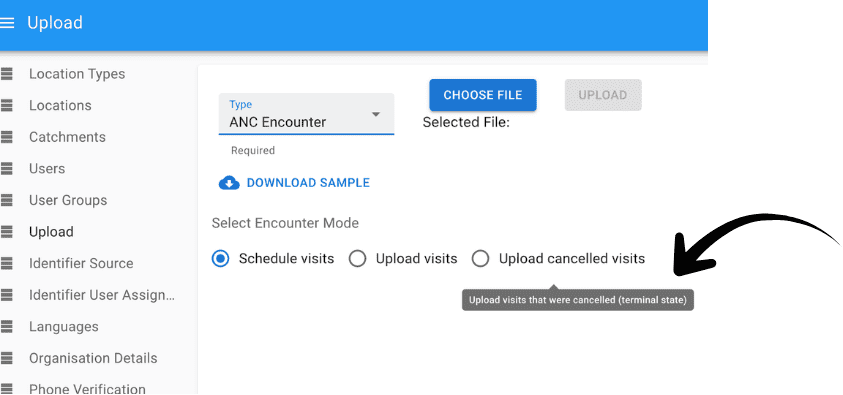
Two new import modes let you bring historical visit cancellations and enrolment exits into Avni through bulk upload, instead of entering them one by one. Particularly useful when migrating from paper or a legacy system.
Pull in read-only photos and files from earlier forms
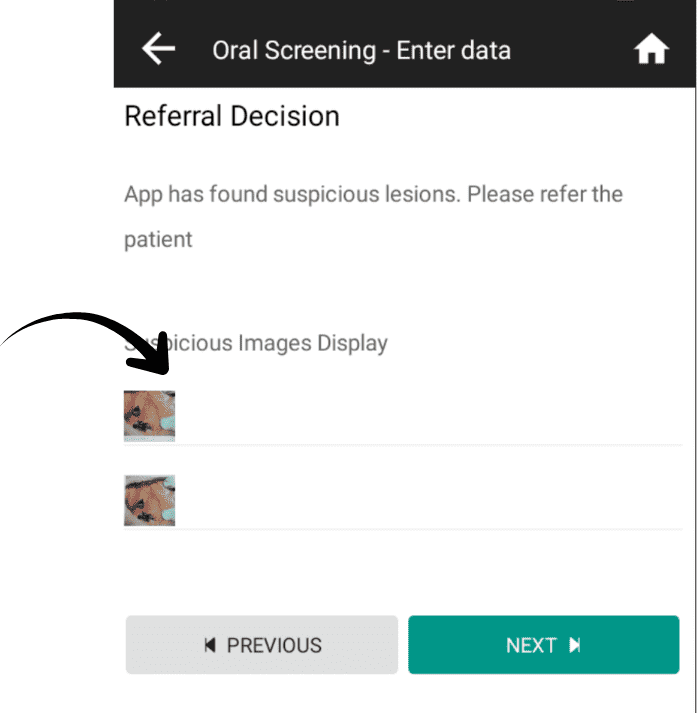
A form can now display a photo or document uploaded in an earlier form — the same way it already surfaces other read-only data. Useful when a later step in a workflow needs to reference something captured earlier.
Group permission dependencies now cascade automatically
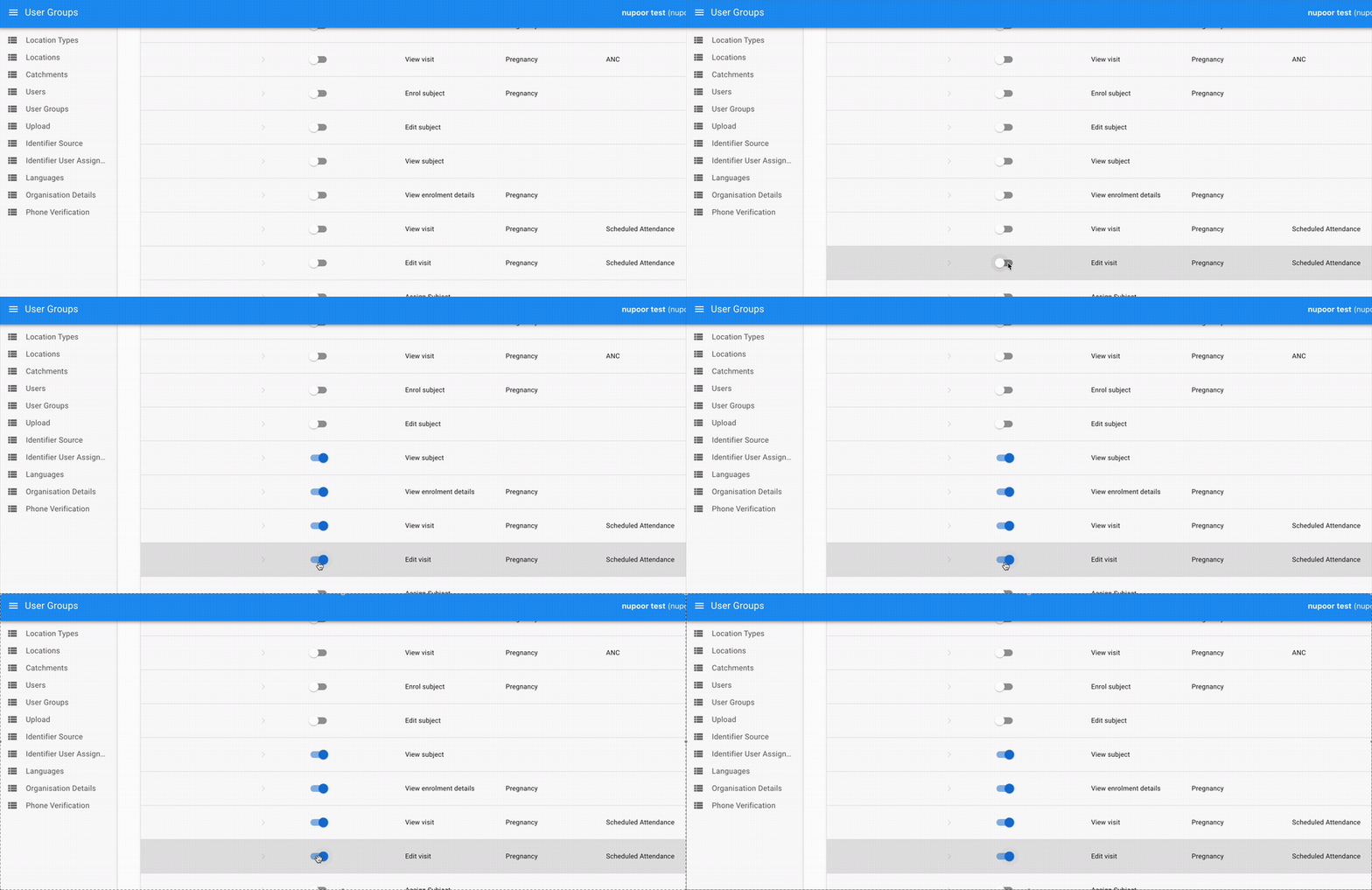
When setting up user group permissions, enabling or disabling one permission now automatically adjusts all related permissions through the full dependency chain. For example, enabling "Add Member" automatically enables "View Subject"; disabling "View Subject" disables all downstream permissions like "Schedule Visit" or "Perform Visit".
Minor enhancements
Do visit card shows multiple enrolments
Individuals enrolled in more than one program now appear correctly in the Do visit card. (avni-client#1937)
Registration decisions visible on web
Admins can now see registration decisions directly in the Data Entry App. (avni-webapp#1554)
Duplicate syncs prevented
Tapping sync multiple times no longer triggers duplicate manual sync operations. (avni-client#1792)
CSV error files easier to download
Analytics permission is no longer needed to download error files from a bulk upload. (avni-server#999)
Performance improvements
Subject search is fast again
A slow database query was causing subject searches with filters to take 50–70 seconds — the root cause behind the response-time slowdown some teams noticed in May. It's now fixed. (avni-server#1005)
One less filter, one faster tap
The individual filter on the "Do visit" action card has been removed, making that flow quicker to use. (avni-client#1911)
Share Feedback and Stay Updated!
Join our Avni community on Discord to share your thoughts, ask questions, and get the latest updates.
Need a walkthrough or have questions? Feel free to schedule a demo call here.
Tags