Avni February Release
March 02, 2026 by Avni Team
Here's what's new in the Avni February release — covering updates for field users, self-service users, DEA users, and internal infrastructure.
1) For Field Users
1.1) Drafts now supported for program enrolments and program encounters
Avni's draft save feature now extends to program enrolments and their visits. If you're working with large forms where all information isn't available at once, you can save your progress as a draft and return to complete it later. These drafts remain on the device and are not synced to the server until the form is fully saved. Drafts that are left untouched for more than 30 days are automatically cleaned up.
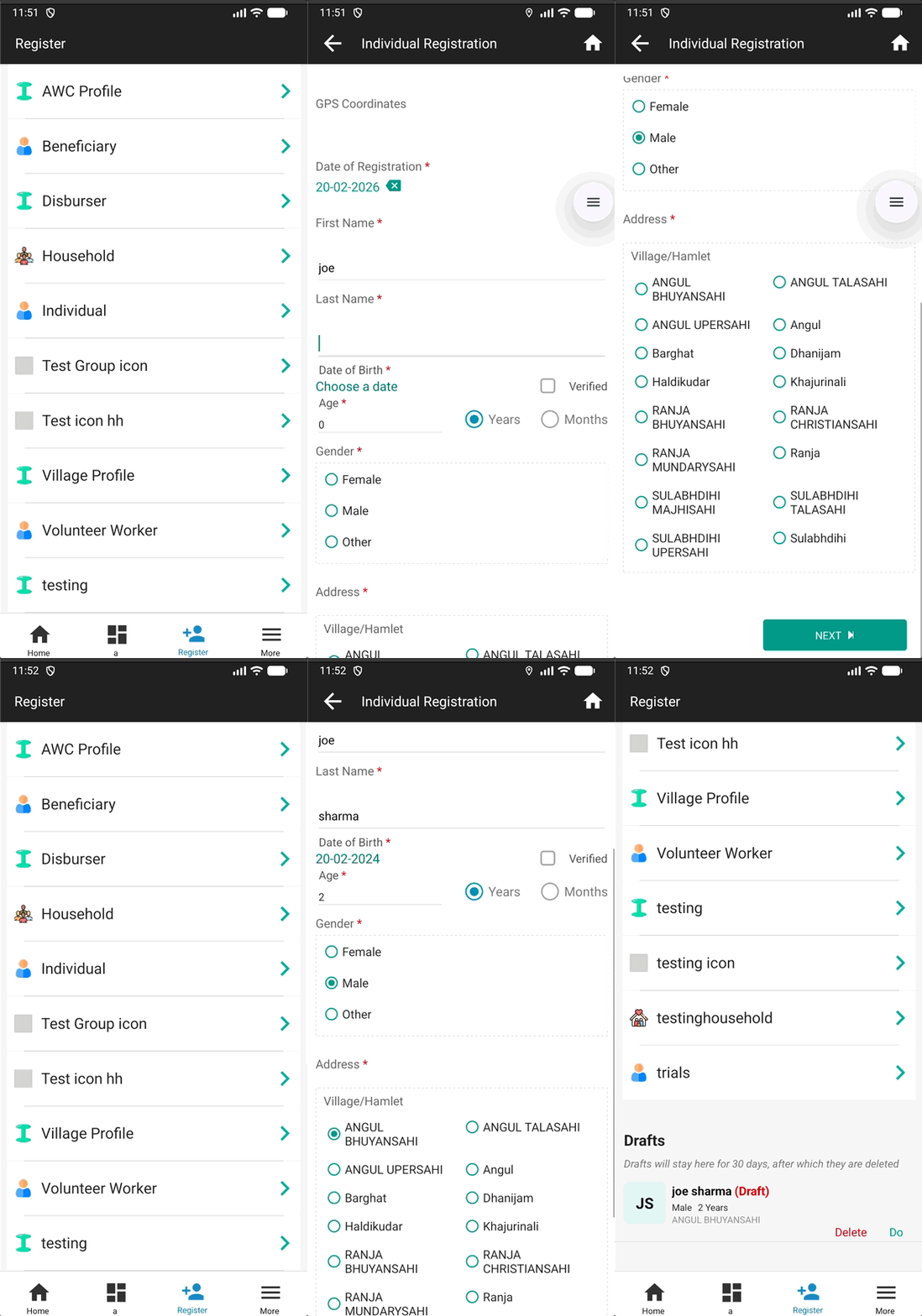
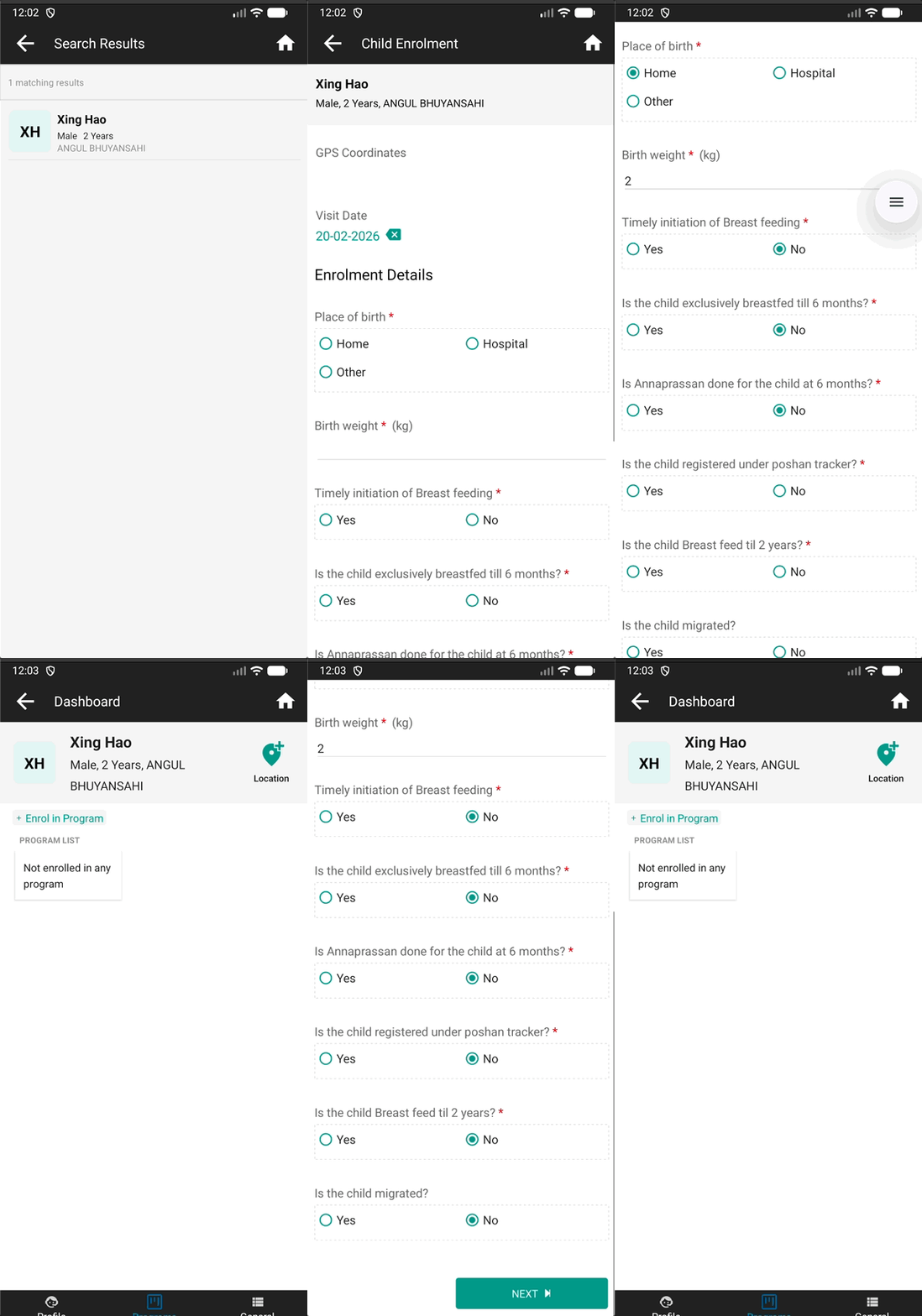
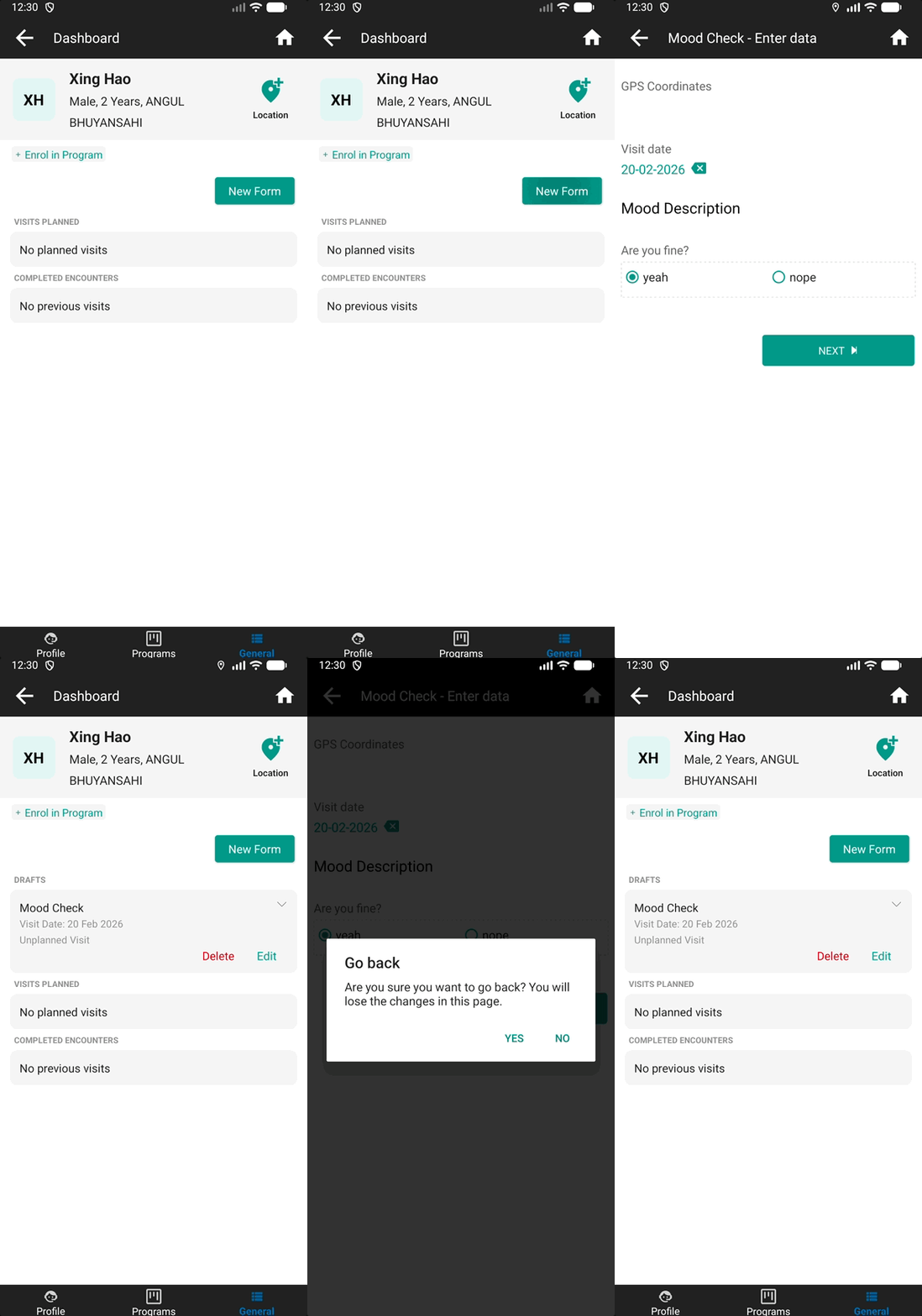
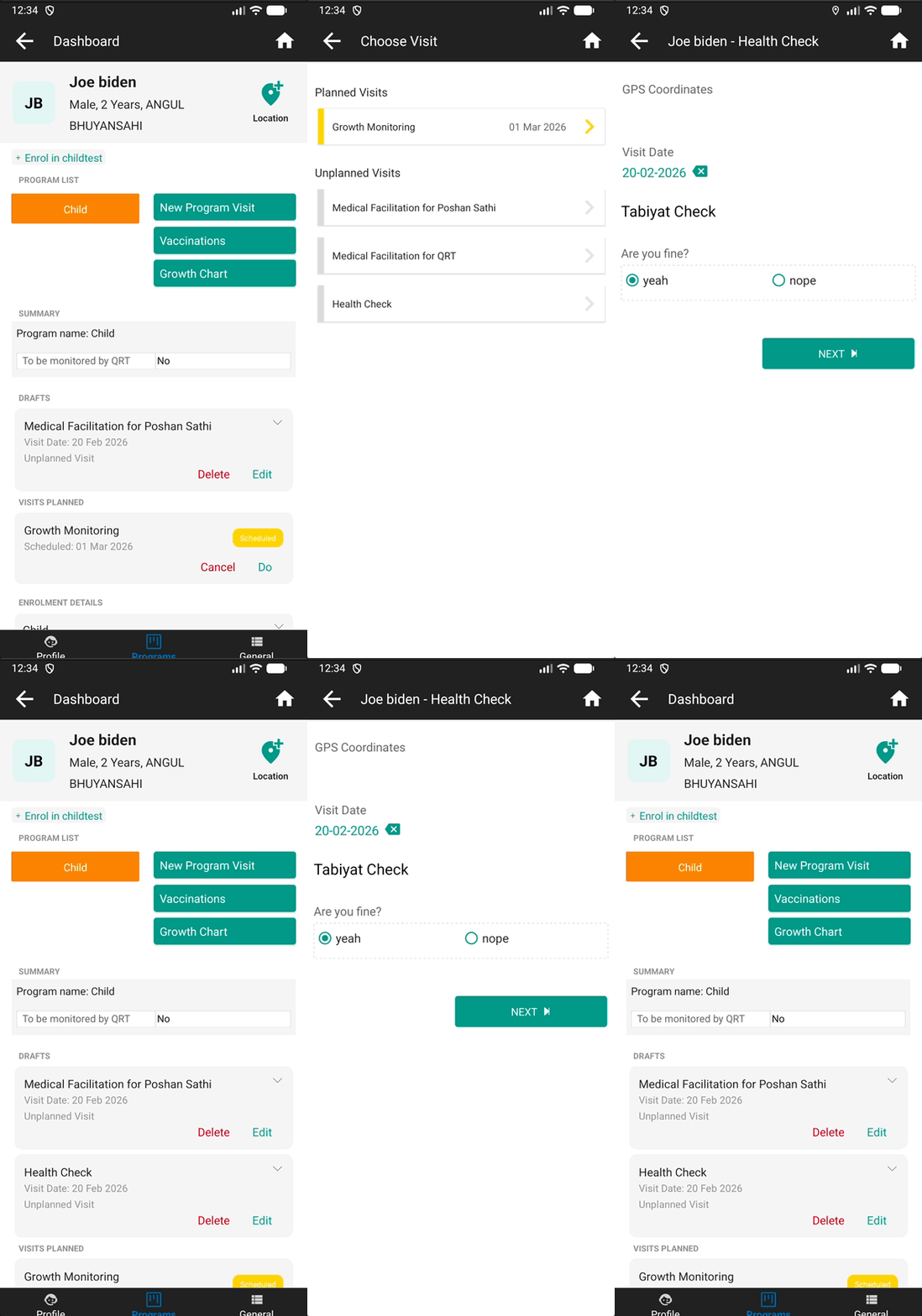
To learn more about how draft save works across different form types, how to enable it, and key points to keep in mind, refer to the Draft Save documentation.
1.2) Ability to guide users to the Register button
New field users often don't know what to do after their first sync completes, leading to extra effort in the field to guide them. Admins can now enable a tooltip that automatically highlights the Register button on a user's first login — guiding them to take their first action without any external instruction.
To enable this, toggle on "Guide users to Register button" on the Organisation Details page in the webapp. Once enabled, the tooltip appears on the mobile app on first login:
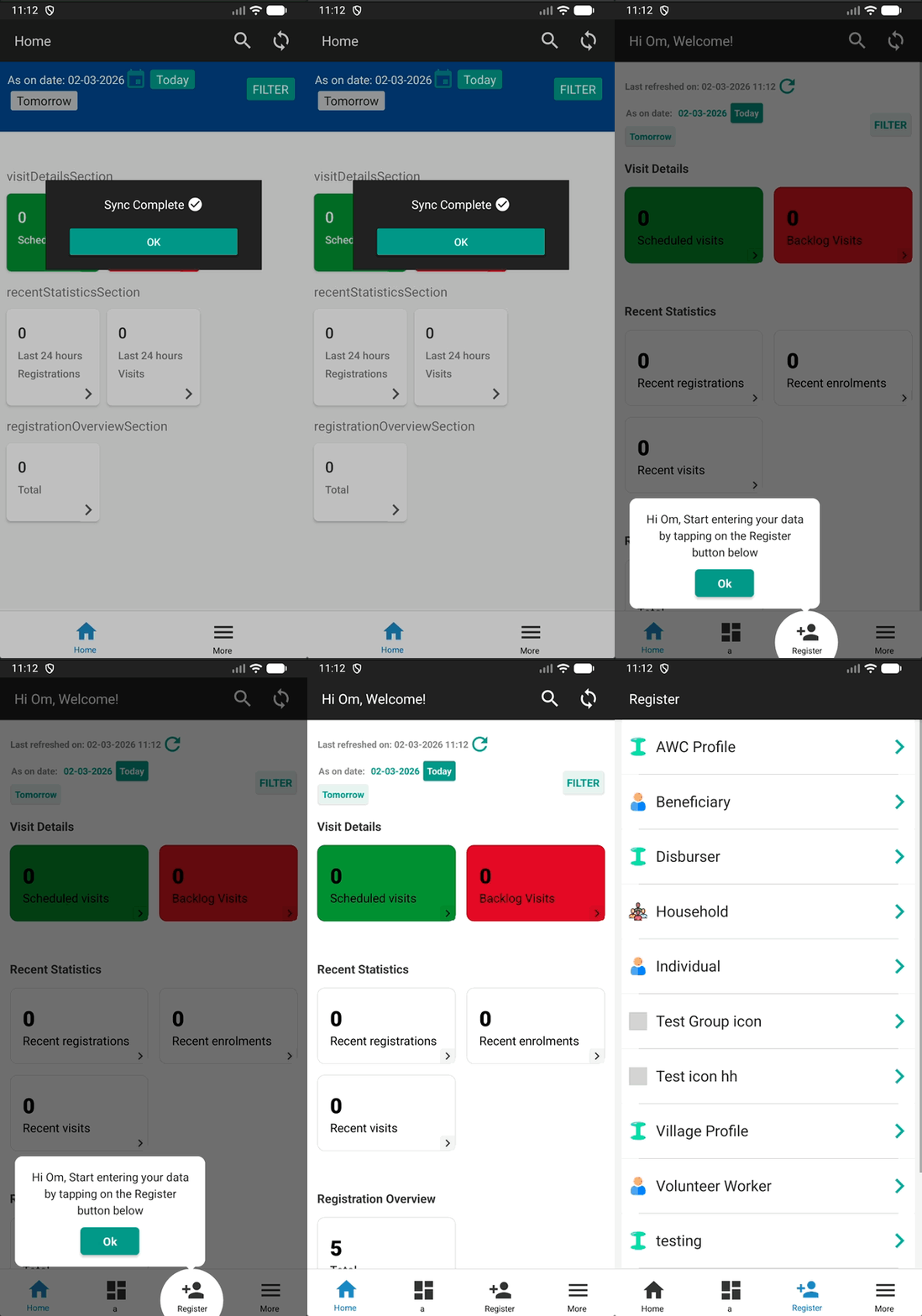
To learn more, refer to the Guide User Towards Register Button documentation.
2) For Self-Service Users
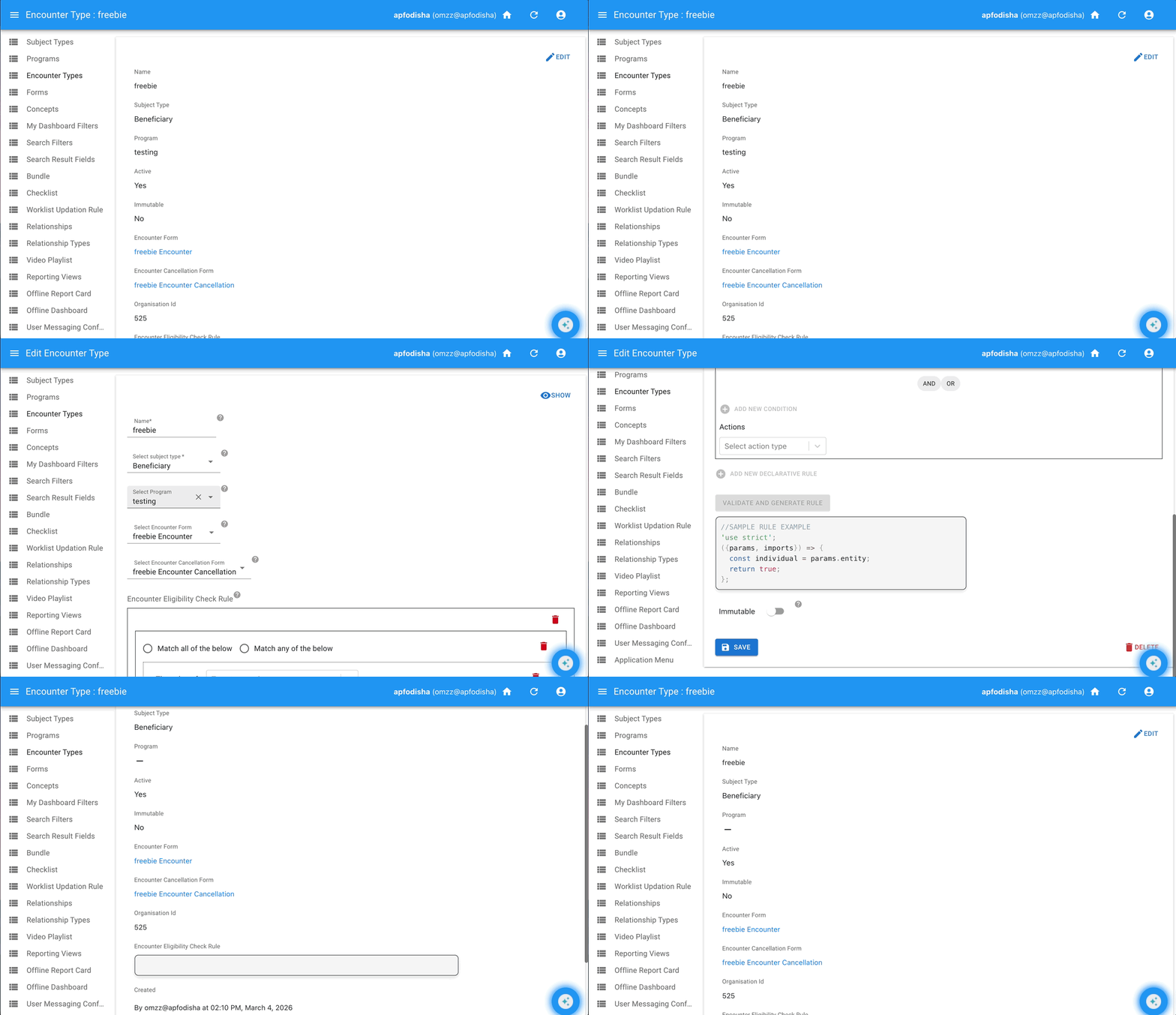
Program encounter can now be changed to a general encounter easily
Earlier, when a user removed a program from an encounter type, it did not work as expected and required multiple steps. This has now been fixed — converting a program encounter to a general encounter is straightforward and works as expected.
3) For DEA Users
Only subjects of the selected role now show in DEA
Previously, all subjects would appear when adding members to a group in the Data Entry App. Now, only subjects matching the selected role are displayed, helping prevent unintended additions to a group.
4) For Internal Infrastructure Maintenance
Moved from deprecated Freshping to AWS monitoring
With Freshping being retired, we have migrated our uptime monitoring to AWS Health Checks and CloudWatch Alarms to continue monitoring our services reliably.
Share Feedback and Stay Updated!
Join our Avni community on Discord to share your thoughts, ask questions, and get the latest updates.
Need a walkthrough or have questions? Feel free to schedule a demo call here.